Let Developers Move Fast in AI IDEs
Without Losing Visibility or Control
BlueRock lets you see, control, and audit what coding assistants actually do — without changing how developers work.
Works inside GitHub Copilot, Cursor, Claude, VS Code, and native IDEs.
No workflow changes for developers
See and control what happens before it hits your systems
AI coding is already happening on your developer desktops.


Code is being generated. Tools are being invoked. Systems are being touched, often before anyone reviews it.
The question isn’t whether this is happening. It’s whether you can see it or control it.
What it takes to safely run
AI coding in your IDEs
Works directly inside your IDE workflow
No new tools. No workflow changes. Just visibility and control where development already happens.
BlueRock connects to coding assistants and IDEs to capture what actually runs — code generation, tool use, and downstream actions — as they happen.
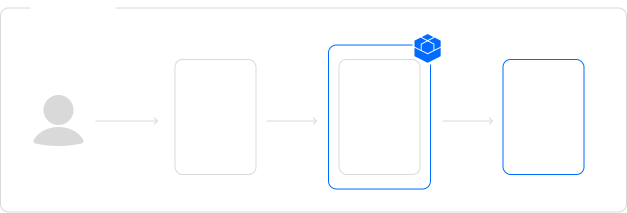

What you can actually see
A complete view of what coding assistants do — not just what they suggest
What code was generated
What tools and services were used
What actions were taken
What systems and data were accessed
What changed as a result
Why AI Coding Breaks Inside IDEs And How BlueRock Fixes It
Who This Is Built For
Related Use Cases
Common Questions
Does BlueRock require developers to change their workflow or install anything on their machine?
No. BlueRock connects to your native AI coding environment via a lightweight integration — developers stay in Cursor, Claude Code, GitHub Copilot, or wherever they work. Nothing is installed on the developer's machine, and nothing changes about how they build.
Which AI coding environments does BlueRock support?
BlueRock works with Cursor, Claude Code, GitHub Copilot, Codex, and Windsurf, with support expanding as the native coding ecosystem grows. If your team uses a tool not on this list, talk to us.
What does BlueRock see inside a native coding session — and what stays private?
BlueRock traces agent actions: tool calls, MCP server invocations, file accesses, commands executed, and downstream system interactions. It's focused on what agents do, not individual keystrokes or unexecuted code.
What happens when a guardrail fires — does it interrupt the developer's entire session?
Guardrails apply at the specific action level. If a guardrail fires, the action that triggered it is caught — not the entire session. The developer continues working; only the specific action is blocked or flagged depending on how the guardrail is configured.
How is this different from reading IDE logs or using existing observability tools?
IDE logs show that a tool was called. BlueRock shows what the tool actually did — the specific query, the permission used, the file accessed, the system touched downstream. Traditional observability is built for deterministic code. BlueRock is built for agentic execution, where the behavior emerges at runtime and can't be reconstructed from static logs.